
3D Modeling Requirements for Manufacturing
When preparing 3D models for manufacturing, certain designs may be unfit for processes such as 3D printing or CNC machining. In particular, non-manifold geometry is classified as invalid and must be corrected before production.
Key 3D Modeling Requirements
Only Two Faces per Edge
A manifold model must have exactly two faces connected to each edge to form a closed shape. This is a basic requirement for any model intended for manufacturing via 3D printing or CNC machining.
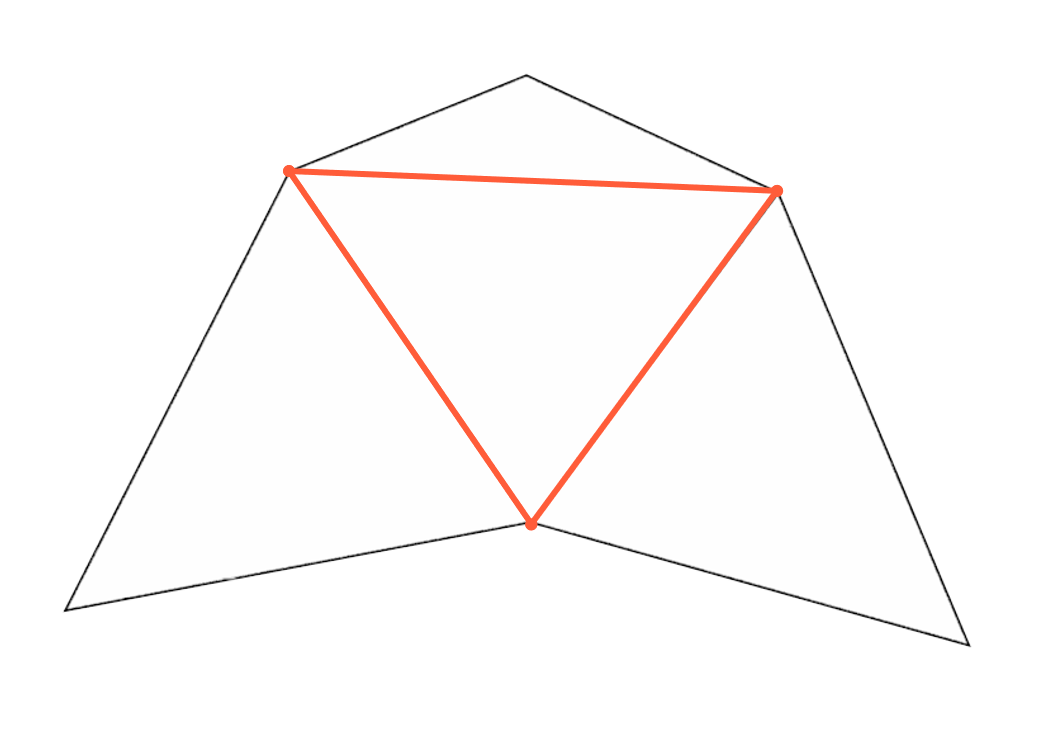
No Overlapping Faces or Edges
Check that no faces or edges overlap after modeling. Overlapping geometry may result in a defective model that cannot be printed or machined.

Faces Sharing a Vertex Must Be Connected
Faces that share a common vertex must also be adjacent. If they are not connected, the model may be incomplete and unprintable.
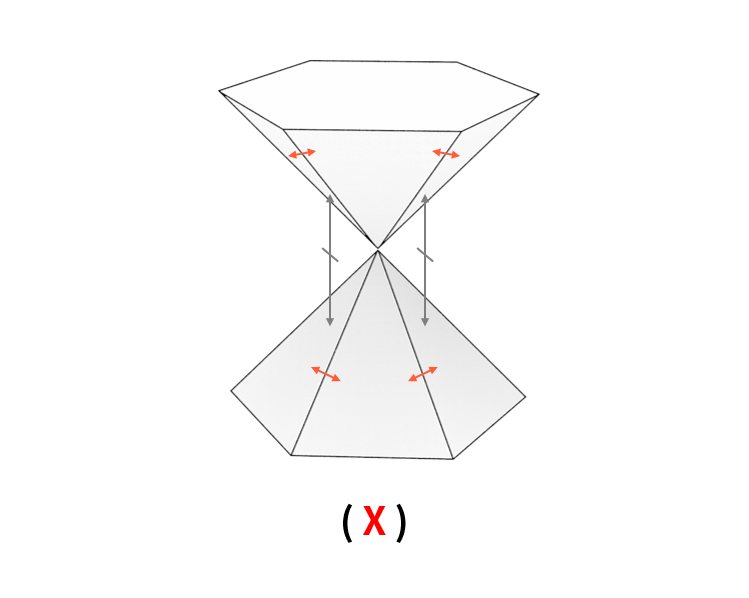
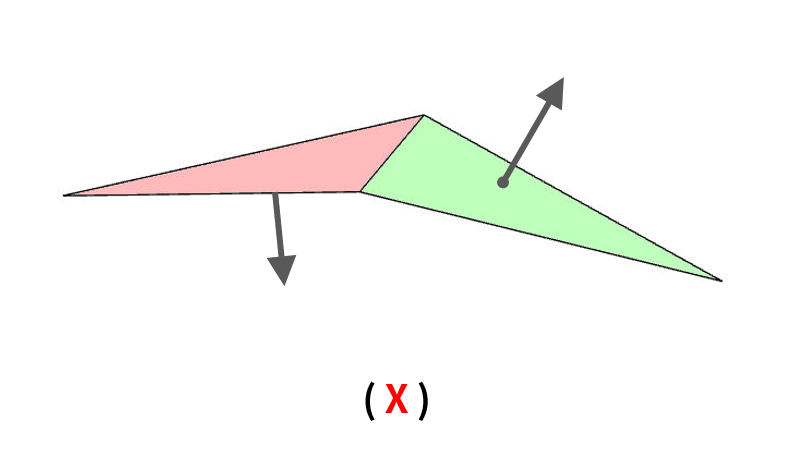
Consistent Face Orientation
All faces must have a clearly defined orientation (front and back). If vertices or edges are not correctly merged, the model may break apart during production due to inconsistent face directions.
Tool-Specific Modeling Guidelines
Different modeling tools require different precautions when preparing files for 3D printing or CNC machining.
Surface Modeling Tools: Export as Solid Models
Models created using surface modeling tools consist only of surfaces, which may cause problems during manufacturing. Be sure to convert the model to a solid form before exporting. Otherwise, the model may be treated as an open shape and rejected.
Mesh Modeling Tools (e.g., 3ds Max, Maya): Merge Nearby Vertices Before Exporting
When using mesh modeling tools, unmerged vertices can cause precision issues in both 3D printing and CNC machining. Unmerged points can also result in a non-manifold geometry, making the design unfit for production.
Checklist to Avoid Common Modeling Errors
Missing Faces
Accidentally deleted or unmerged faces during modeling will result in an open model, making it unprintable.
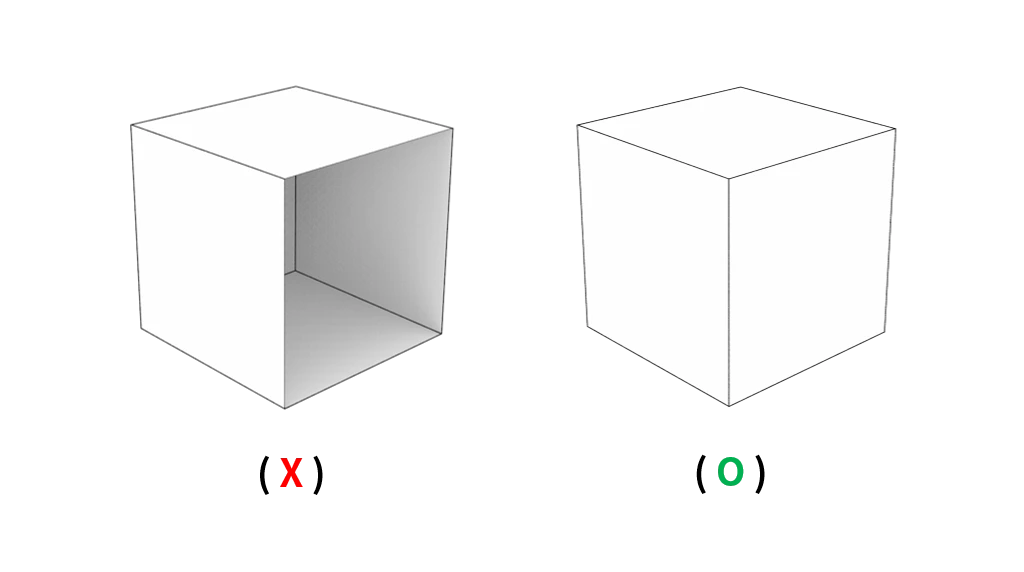
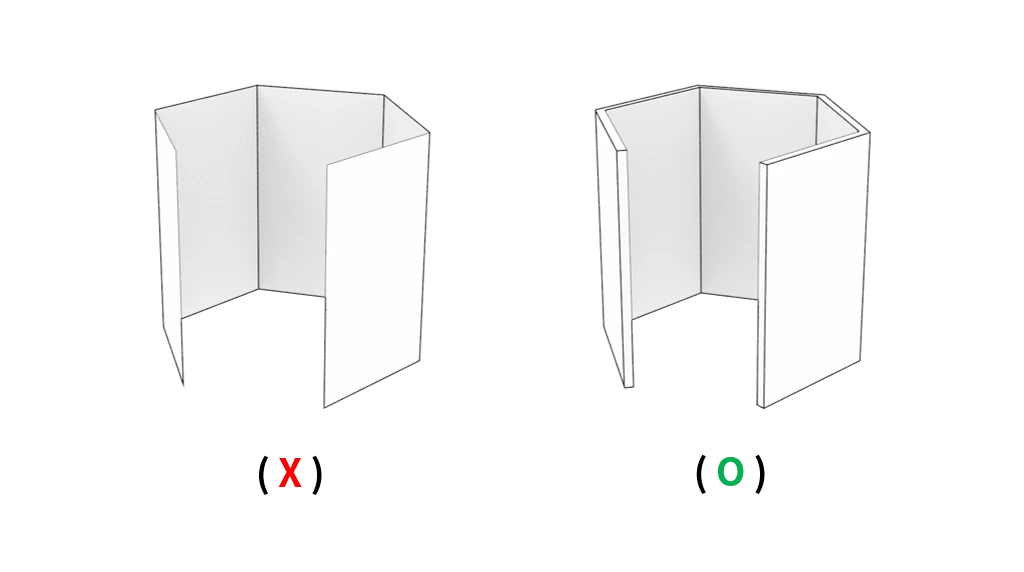
Surface-Only Models
Every model must have volume and form a closed solid. Surface-only models without thickness cannot be properly printed or machined.
Multiple Faces Sharing a Single Edge
If more than two faces are connected to a single edge, the model becomes non-manifold and unprintable.
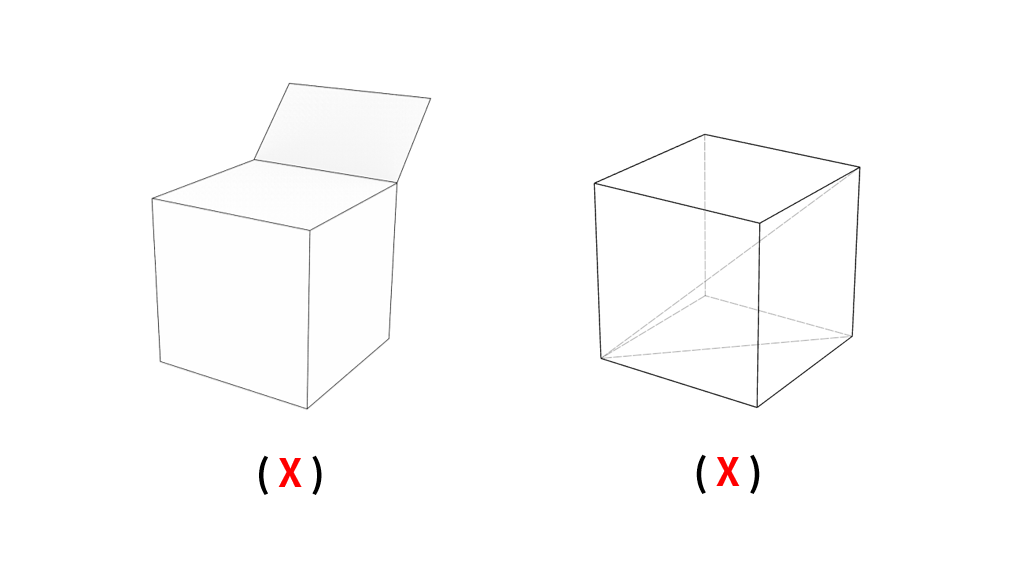
Parts Joined Only at the Edge
Improperly aligning the reference plane when combining parts may leave the model structurally incomplete.

The conditions above represent the basic requirements for manufacturing-ready 3D models. In real-world 3D printing and CNC machining, there are many additional constraints depending on the process and materials used. For best results, we strongly recommend referring to the design guides available in Creallo’s Resource Center.
