
Detailed description of 3D model analysis items
Even if you have created a 3D model, if you did it without considering production technology's characteristics, it may not be possible to use the model in actual production.
For manufacturing, it is necessary to design parts in consideration of the characteristics of manufacturing technology. This is called Design for Manufacturing (DFM), and a DFM review step is essential for manufacturers to identify areas that designers may miss. The DFM review phase is not only a very cumbersome process for manufacturers but also a time-consuming process for designers who need to wait a long time.
Creallo provides automated 3D model analysis feedback for boost-up this process. When you upload a model to the Instant Quote page, Creallo's AI server automatically analyzes the 3D model and sends back the review result for each model on the right button within 1 minute.
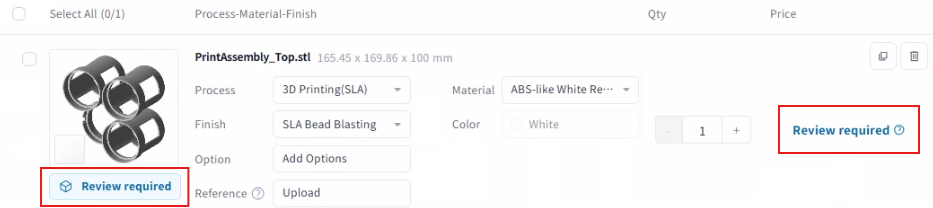
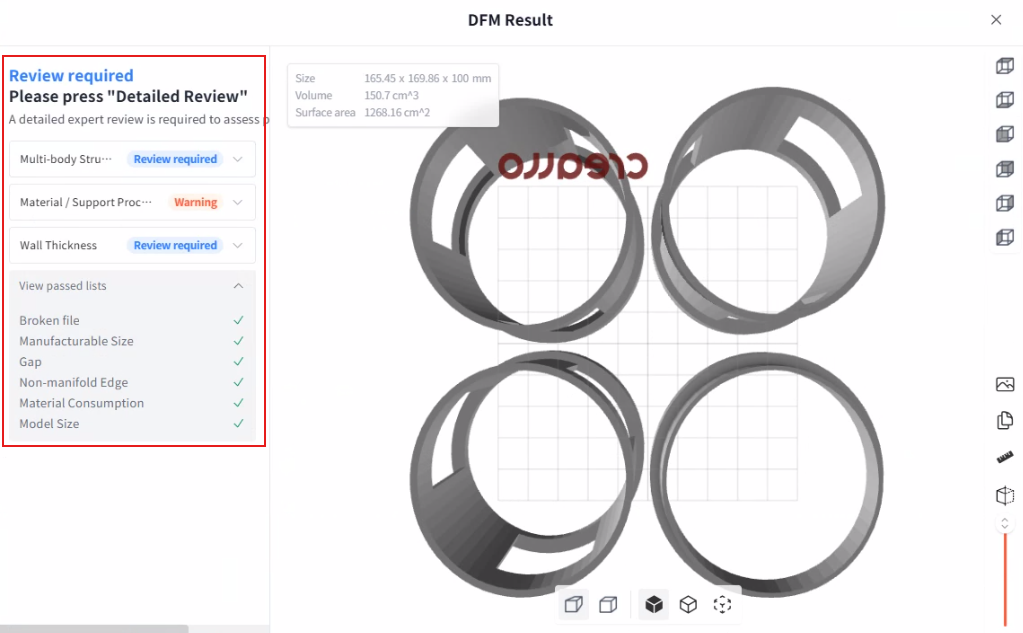
If you are used to the results of the automatically analyzed DFM feedback, you can dramatically reduce the development cycle as well as rapid quality improvement. We have summarized the details of each item of automatic DFM feedback below.
Manager Review Result
DFM feedback from human(manager) review
If the AI server cannot automatically check, or if it is ambiguous to determine whether the server is fully capable of proceeding, the Request for Review button will be generated. If you click the button, the request will be sent to our engineers. After our engineer's review, you can check the results from this section. The results of the detailed review of the experts are divided into three stages: 'Confirmed', 'Warning', and 'Rejected'. and if it is on the "Warning" stage, you need to agree to proceed with taking a risk, or you need to improve the model and upload it again.
Broken File Test
The file extensions currently supported by Creallo are STL and STEP files. If you try to convert the wrong extension or the file is damaged due to various other reasons, there will be a problem in loading the file from the server.
If the Broken File check fails, we recommend that you try uploading the file after checking whether the file is loaded well in other 3D programs. If you export in a normal way in the program, there are very few cases where the Broken File check fails.
Model Size Test
It appears when the size of the model is abnormally small or large. For example, if the volume is less than 10cm^3 or the length is greater than 1km.
The Model Size Test usually fails when it is a non-manifold model, for example, some face of the model is upside down or not connected to each other.
If the test fails even though there is no problem with the model itself, we recommend that you try uploading after checking whether you can load the model in the other 3D program and if it is loaded in the same size in other programs. And also check the length unit. The industry mainly uses mm units, and the Creallo instant quote page supports mm and inch units.
Material Consumption Test
Make sure you didn't get an over-estimated quotation compared to the actual model size
Most of the manufacturing processes, except CNC, which is a material removal process, increase the production cost as the material consumption increases. If the part is too thick (more than 5mm) and the volume is too large compared to the overall size, a "Warning" will be displayed. It is a result calculated by using big data of 3D models that are actually ordered. If you see the "Warning" sign, It is highly likely that the production cost is abnormally high compared to the size. If you think the quote is reasonable, that's fine, but if not, please optimize the model. It is always helpful to design your model based on the "Injection molding part design guide"
Analysis initializing
An error occurred before executing the model analysis. Initializing the model check environment rarely fails if the Broken File check passes. If this stage fails, please contact Creallo.
Non-manifold Edge Test
Make sure the model has a normal volume
It is the case that the basic conditions of the 3D model for production are not satisfied. If you design using 3D CAD's solid modeling, the inspection rarely fails. However, if surface modeling is used in programs such as 3D CAD or Rhino, the inspection will fail if the model does not have a normal volume because elements such as edge and vertex are not merged together.
Multi-body Structure Test
This is the case when multiple bodies are included in one file. If there are multiple bodies consisting of one volume unit, there may be a problem that the estimate is excessively calculated because the bodies are recognized as a large model due to the arrangement of the bodies.
If you designed using CAD software, for using the instant quote, do not export the entire assembly, but export each part separately. If you are using a mesh modeling tool, divide the bodies into different files to include only one part in one file.
In the case of 3D printing, there may be cases where a non-assembly mechanism is intentionally designed. In this case, you can ignore the warning.
Manufacturable Size Test
If it is difficult to make with one manufacturing equipment at a time, the manufacturable size test will fail. In this case, it is not completely impossible to manufacture, so if you leave a message to our 1:1 inquiry, we will guide you on how to produce it. We can help you with the manufacturing process, mainly by splitting models and gluing after production.
Wall Thickness Test
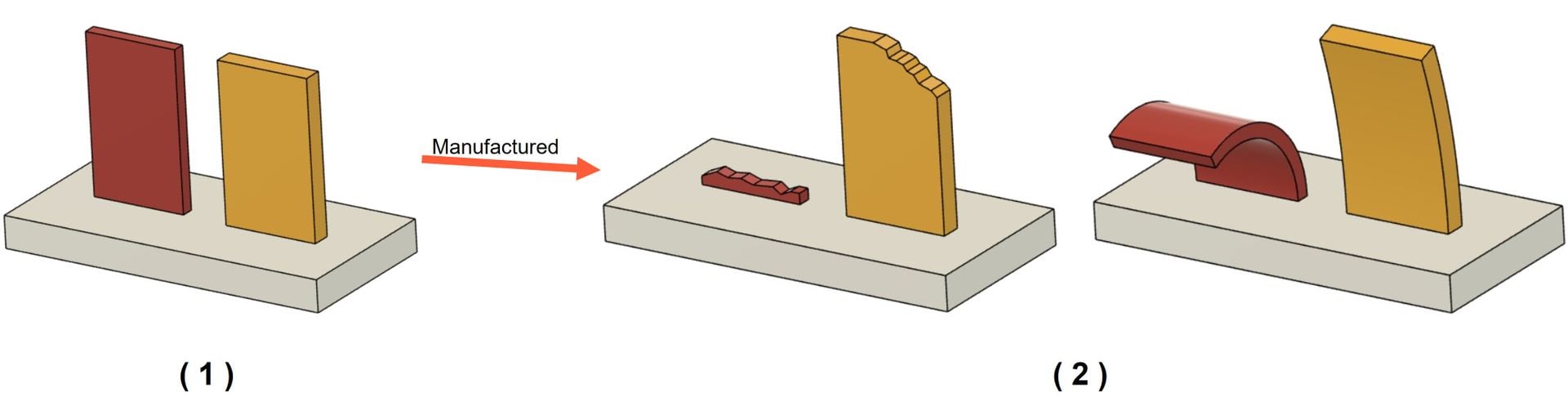
The thin wall thickness of a part can be a problem in any production process. Usually, a thickness of about 1 mm is considered the minimum thickness. But if the thickness becomes smaller than this, in the case of CNC machining, it breaks at the processing stage, and in the case of injection molding, the injected plastic does not enter until the end, and in the case of 3D printing, some parts may be missing or deformed.
The yellow areas displayed on the 3D viewer are areas that require attention and are highly likely to be broken, unformed, or deformed. In this case, it is possible to proceed to manufacture with an agreement of precaution. The red area is almost invariably an area that can cause problems, so you can't go to the manufacturing stage. We recommend that you proceed with manufacturing after modifying the model.
In the case of a yellow area, if the length of the area is less than 5 times the thickness, for example, if the thickness of the area is 0.8mm but the length of the area is less than 4mm, you can ignore the warning. Also, if there is a yellow part on a small surface pattern, you can proceed with the thought that the pattern can be slightly crushed.
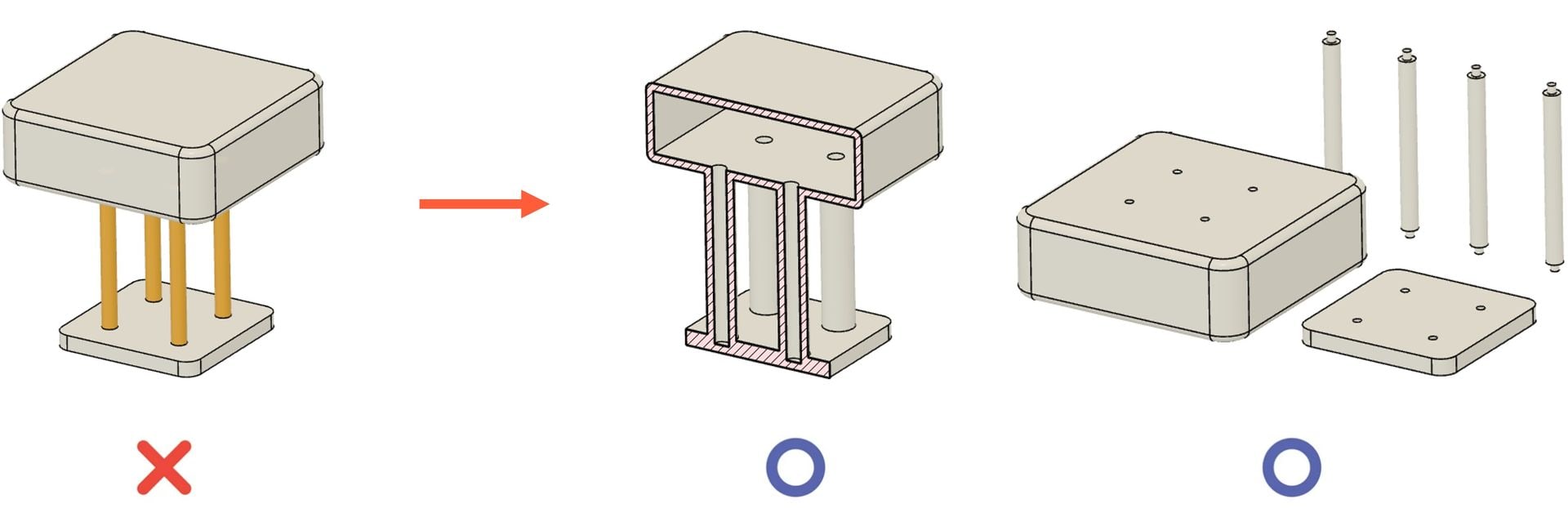
Even if the thickness is sufficiently thick, a structure that places a lot of weight on one side is unstable and may break. The model itself should be designed to partially balance the weight, and if the weight is concentrated on one side, consider reducing the weight by giving a shell to that part. For such a structure, it is best to divide the model and design it as an assembly.
Gap Test
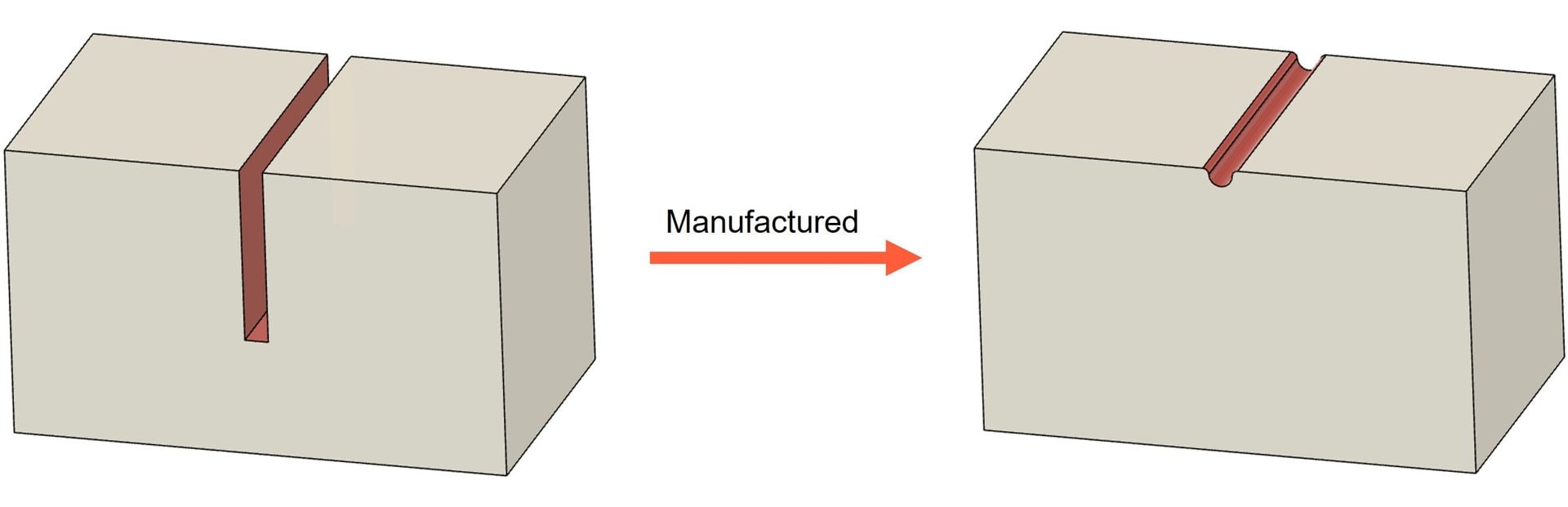
If the gap between the material is too close, the part can be glued or because the machining tool cannot get in, it is possible that the shape cannot be realized. Usually, a gap of about 1mm is considered the minimum gap.
In the case of a small surface pattern composed of low intaglios with a depth of engraving less than 0.4mm, you only need to be aware that parts that need attention may be slightly crushed or only traces may be left before proceeding.
Trapped Volume Test
If there is a trapped space in the model, it may not be possible to machine because the tool cannot get in, or it may not be possible to remove the material left after manufacturing. In this case, it may be necessary to manufacture by dividing before production, then assembling after production. Rather than complicating the manufacturing process, designing in the early stages of the design in multiple parts with assembly considered can help you produce stable and better quality parts.