
Instant Quote Guide
Creallo delivers instant quotes and DFM feedback in under a minute, letting you compare process, material, and finish options and place an order in as little as 5 minutes.
1. Prepare a 3D Design Model
A 3D Design file is required for an instant quote. If you don't have a design file or if it is difficult to take the file outside of your company, please contact us with a 1:1 inquiry or email us. You can check the email address at the bottom of the website.
The file extensions that can be used are as follows. Almost every CAD software support "STEP" file export, and mesh processing software support "STL" file export. We recommend using one of them.
- Extension: STEP, STL
- Size Max: 50MB
2. Initial Page
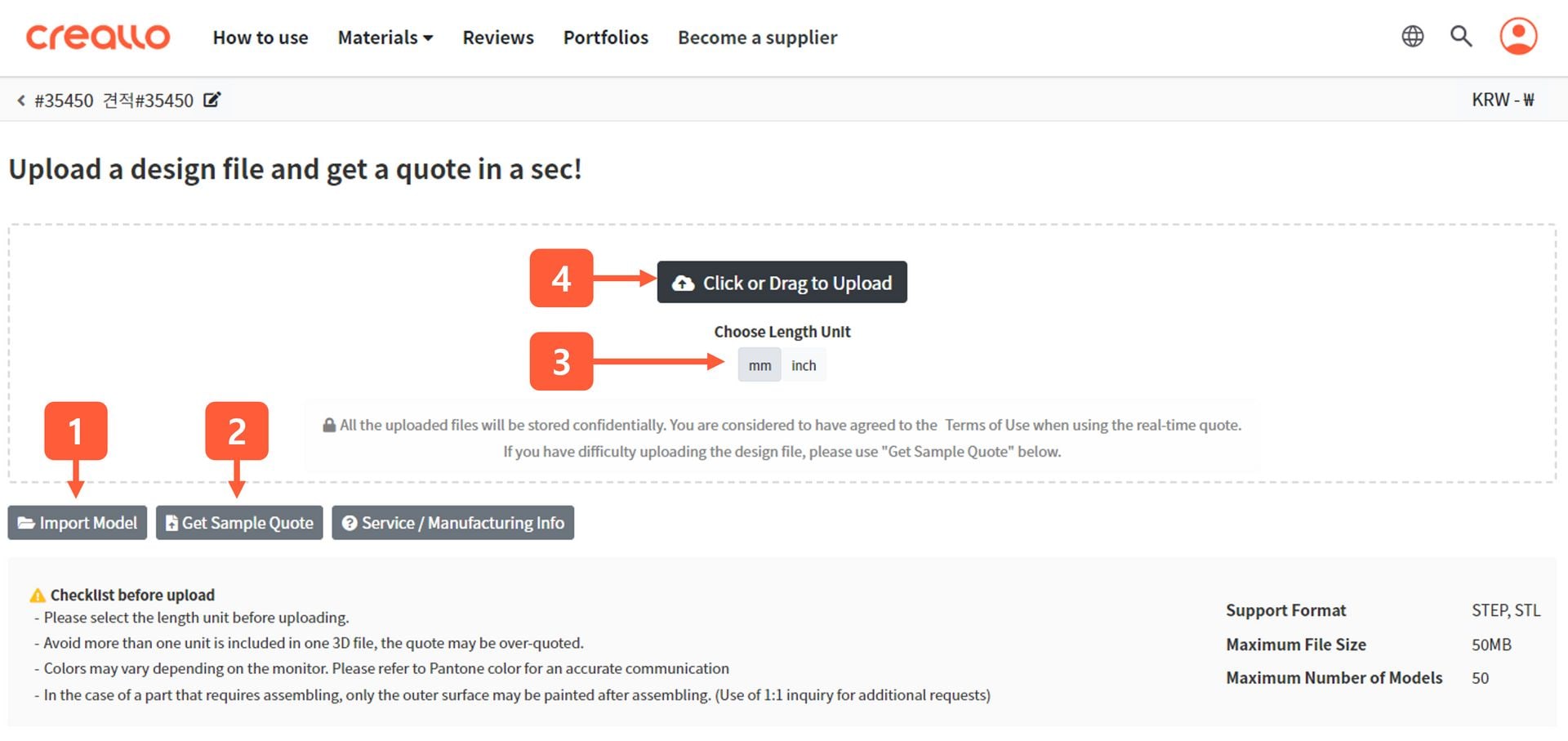
- Import Model: You can import the uploaded models to the instant quotation page and use them for the new quotation sheet.
- Get Sample Quote: For those who do not have a 3D design file or cannot upload the design file on the web, you can simply try our instant quote with this button
- Length Unit: Before uploading your model, please select the correct units for your model. In industry, the "cm" unit is rarely used. If you have done modeling work based on "cm", it is recommended to adjust the size.
- Upload: You can simply click or drag the design model you want to quote onto the screen.
3. Get an Instant Quote
As soon as the model is uploaded, all the manufacturability tests are executed simultaneously. For relatively large models, such as 50MB file size, it may take up to 5 minutes for the analysis to complete.
All quotations calculated by Creallo are irreversible. Even if the price is measured too low, you can proceed with the order as it is.
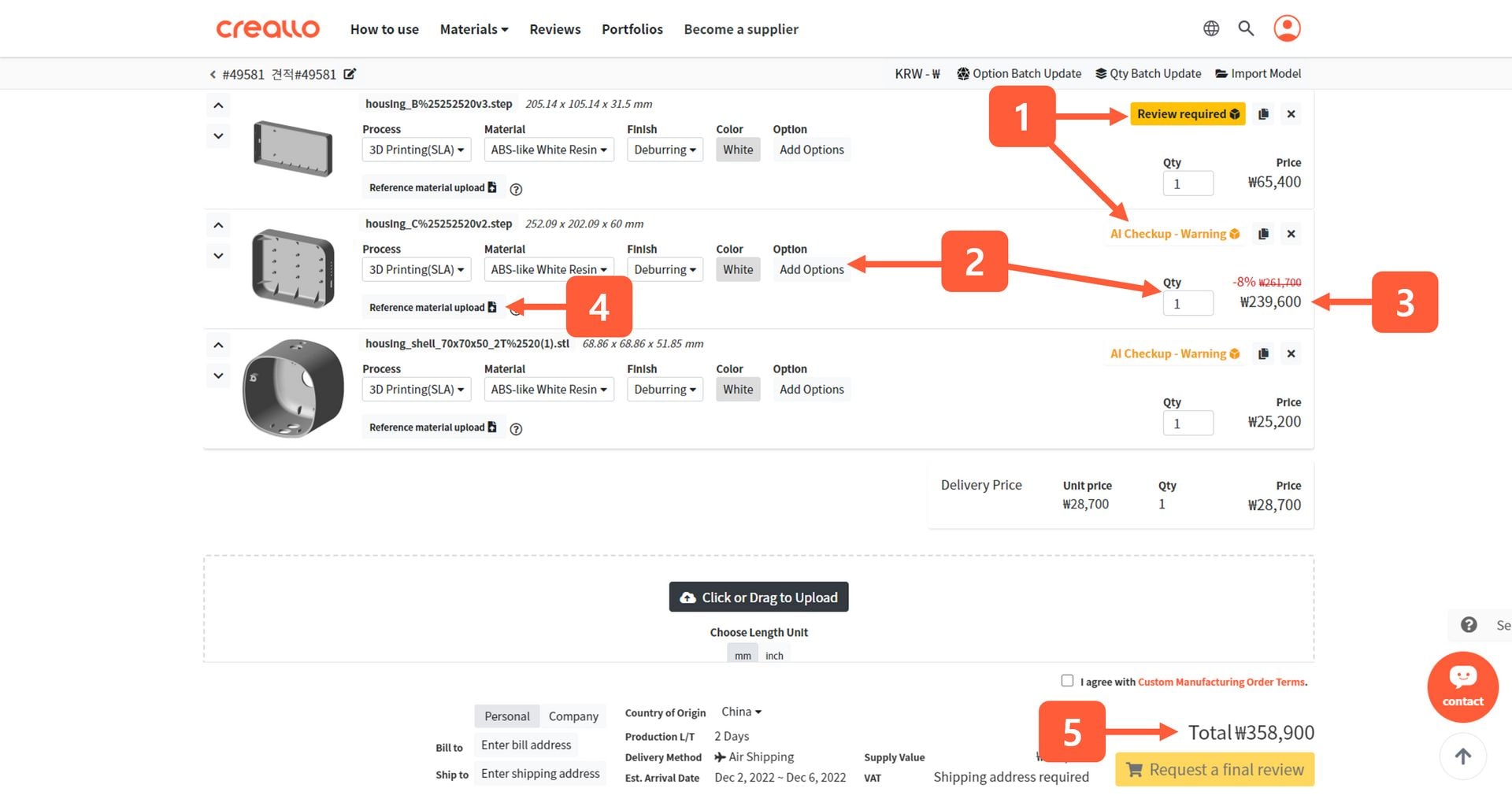
- DFM analysis result: You can open the 3D viewer and check which part may cause problems in manufacturing.
- Specification Setting: If you select various options such as manufacturing process, material, finish, color, and quantity, you can check the updated quotation in real-time.
- Unit Quote: Part production unit quote. This may not include the post-processing(finishing) price.
- Reference material upload: You can attach dimension drawings, specifications, etc. required to manufacture the part.
- Total Quote
4. Get Instant Design Feedback
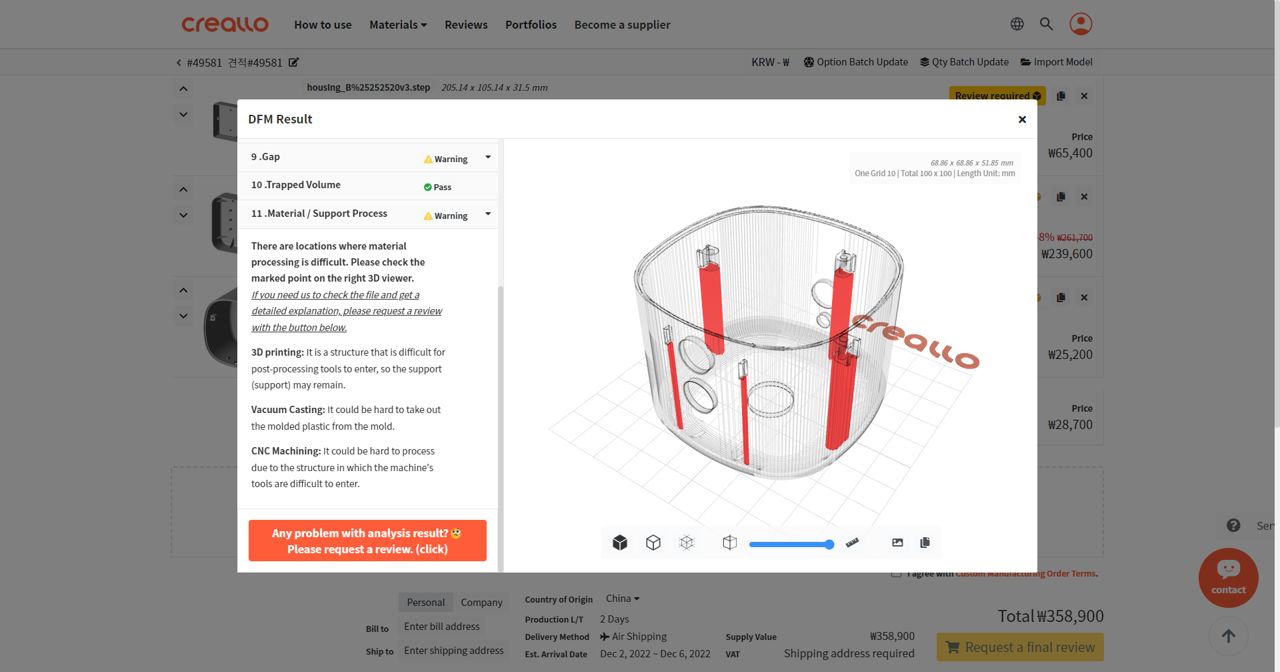
If you click the DFM analysis feedback button, all items analyzed by the AI server will be displayed on the screen along with the 3D viewer. By clicking on the item, you can see detailed feedback on why the test did not pass.
If you think that the AI analysis result is incorrect, please click the Review Request button at the bottom left. The request is immediately forwarded to our engineers, and within 15 minutes, you can see the review directly on the same screen.
5. Placing Order
If all the DFM analysis tests are passed, you can place an order immediately. However, if the test result is not a "Pass" or "Warning", additional measures may be required.
- AI Checkup - Pass / Pass: You can check out right away.
- AI Checkup - Warning / Warning: You can check out after the agreement.
- AI Checkup - Rejected / Rejected: The model is not possible to be manufactured from Creallo. Please improve your model referring to our feedback
- Review Required: If it is hard to automatically determine manufacturability through AI analysis, the status will be displayed. In this case, please click the final review request button at the bottom right corner.
- Pending Review / Under Review: Our engineer in charge is checking your model manually. This process might take around 15mins